How
to Optimize Google Business Profile for More Clients?
In a more local-first digital landscape,
maintaining a solid online presence isn't just a luxury—it's a requirement.
Among the best and most cost-effective options for local businesses to gain visibility,
build customer trust and drive conversions is the Google Business Profile (previously Google My Business). If you're a local business looking to gain
more clients, learning how to maximize your profile can significantly alter
your business results.
Whether you are a neighborhood store,
restaurant, dentist, or service business, an optimized Google Business Profile
not only improves your online presence but also enhances your local SEO, increases customer satisfaction and generates
more walk-in and online customers.
Here in this detailed guide, we will discuss:
·
What
is Google Business Profile?
·
Why
it's important for local business SEO
·
How
to properly optimize it for more visibility and leads
·
How
to leverage insights and analytics?
·
Why
you should opt for Google Business profile management services?
What
is Google Business Profile?
Google Business
Profile (GBP) is a complimentary tool from
Google that enables businesses to control how they are presented in Google
Search and Google Maps. It provides local businesses with a chance to represent
their brand, location, hours, services, photos and reviews—all in one place.
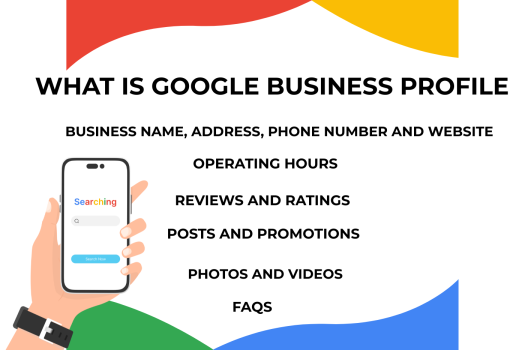
Key Features Include:
·
Business
name, address, phone number and website
·
Operating
hours
·
Reviews
and ratings
·
Posts
and promotions
·
Photos
and videos
·
FAQs
·
Customer
messaging
·
Tracking
performance through insights
Your Google Business Profile is usually the
first contact a prospective customer has with your business. Having it
optimized can have a powerful impact on your customer experience, visibility
and ultimately income.
Why
Google Business Profile Matters for Local Businesses?
For local companies, your Google Business
Profile is the door to accessing more customers within your area. It functions
in direct coordination with your local
SEO optimization efforts, promoting visibility in Google Search and Maps.
Perks of an Optimized Profile:
·
Enhanced local visibility: Show up in "near me"
searches.
·
Customer trust increase: Verified businesses with reviews
are perceived as more trustworthy.
·
More traffic and calls: Customers can call directly,
message or receive directions.
·
Improved SEO rankings: It serves as a complement to your
whole local business SEO strategy.
How to Improve Google Business Profile for More Clients?
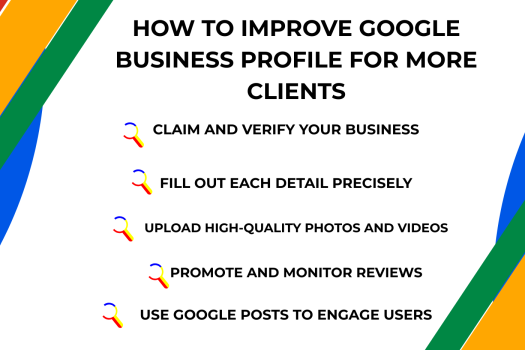
Here is a step-by-step approach to optimizing
your Google Business Profile properly:
1.
Claim and Verify Your Business
You first need to claim your business using the Google
Business Profile Manager. This confirms that you are the legitimate owner
and gives you management of all profile components.
·
Visit
[Google Business Profile Manager]
·
Search
for your business
·
Claim
and request verification (by phone, email or postcard)
Pro Tip: Verification earns credibility and
gains access to all features.
2.
Fill Out Each Detail Precisely
Complete every field of your profile accurately
and consistently:
·
Business
Name (must match legal name)
·
Category
(pick the most applicable one)
·
Address
and Service Areas
·
Phone
Number
·
Website
URL
·
Operating
Hours
·
Description
(add keywords such as local SEO, customer satisfaction, etc.)
3.
Upload High-Quality Photos and Videos
Visuals improve customer experience and get more profile views.
Upload:
·
Logo
·
Cover
photo
·
Product/service
images
·
Integer
and exterior images
·
Team
images
·
30-60
second videos of your service
Companies with pictures get 42% more direction
requests and 35% more click-throughs to sites.
4.
Promote and Monitor Reviews
Google reviews are crucial for local SEO optimization and trust from
consumers.
Ask satisfied customers to post reviews and always
respond professionally no matter if their reviews are positive or negative.
This fosters relationships and shows superior customer service.
Pro Tip: Give thanks to reviewers and solve
problems publicly to increase customer satisfaction.
5.
Use Google Posts to Engage Users
Publish updates, promotions, events and
announcements directly on your profile. It's like mini social media posts seen
in Google search.
This increases engagement and keeps your
listing fresh—something Google loves for ranking purposes.
6.
Enable Messaging Feature
Allowing users to message you directly enhance customer
experience and lead generation.
Ensure that someone on your team monitors and replies promptly.
7.
Add Products and Services
If you offer products or services, list them
with descriptions and pricing. This not only helps Google understand what you
offer but also increases your relevance for searchers.
8.
Leverage the Q\\&A Section Wisely
Keep an eye on the Q\\&A section and
respond to frequent questions. You can also pre-load FAQs which enable
prospective clients to quickly get answers.
9.
Follow Insights & Analytics
Leverage the inbuilt Google Business Profile
insights to track:
·
Number
of people who looked at your profile
·
What
actions they performed (call, message, direction)
·
Search
queries that directed them to you
·
Breakdown
of audience by location, time and device
This information is crucial to optimize your Google Business Profile management
strategy and know about the behavior of users.
How Google Business Profile Helps with Local SEO?
Getting your profile optimized has a
straightforward effect on local search rankings. Here's why:
✅ NAP Consistency
Your Name, Address and Phone Number must be uniform
everywhere to increase trust and ranking.
✅ Keyword Optimization
Insert keywords such as SEO, local SEO,
customer satisfaction and your services into the business description and
posts.
✅ Link Building
Insert backlinks to your primary site and other
directories for greater authority.
✅ Citations
Make sure your profile is referenced from
respected directories.
Why
Use Google Business Profile Management Services?
GBP management manually is time-consuming and
requires expertise. From posting content to dealing with reviews and monitoring
analytics, there is a lot to do.
That's why companies trust professionals like RCSMESSAGE, a reliable Google Business Profile optimization
services and Google Business Profile
management services provider.
How
RCSMESSAGE Helps You Grow Locally?
RCSMESSAGE is renowned for providing top-notch local
SEO services and providing the best SEO
services in India. The following are the ways they assist with your GBP
optimization:
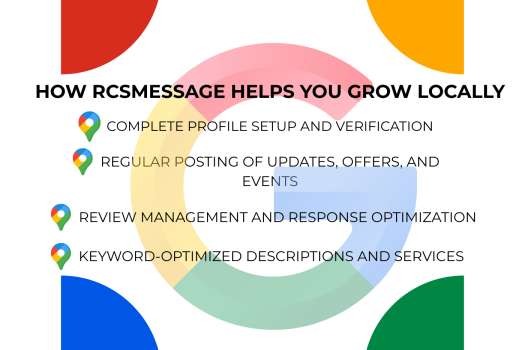
·
Complete
profile setup and verification
·
Regular
posting of updates, offers, and events
·
Review
management and response optimization
·
Keyword-optimized
descriptions and services
·
Insight
tracking and monthly performance reports
·
Website
SEO and Google Ads integration
·
Local
citation and backlink building
They assist Google Businesses such as yours not
only rank higher but also convert better with enhanced customer experience and
brand credibility.
✅ Case Study Snapshot
Client: A network of local dental clinics
in Delhi
Challenge: Poor visibility and low engagement
on Google
Solution: RCSMESSAGE optimized their Google
Business Profiles, included local keywords, updated images and executed review
campaigns.
Results:
·
80%
boost in profile visits
·
65%
increase in calls and directions
·
150+
fresh 5-star reviews within 6 months
Conclusion
Having a Google Business Profile is just the
beginning. Optimizing it for visibility, engagement and conversion is what
differentiates successful local
businesses.
Whether you operate a salon, consultancy, or
retail store, your online storefront on Google is frequently your first
impression. Make it count.
If you’re serious about local SEO and want to
consistently attract more clients, trust the experts at RCSMESSAGE—providers of
premium Google Business profile management services and the best SEO services
in India.